Hey Finance Engineers,
Cash application is the most boring job in finance, and one of the most expensive.
Every morning someone opens the ar@ inbox. A PDF remittance. An Excel file. A photo of a cheque stub. For each one: find the invoices, check the amounts, decide what to do.
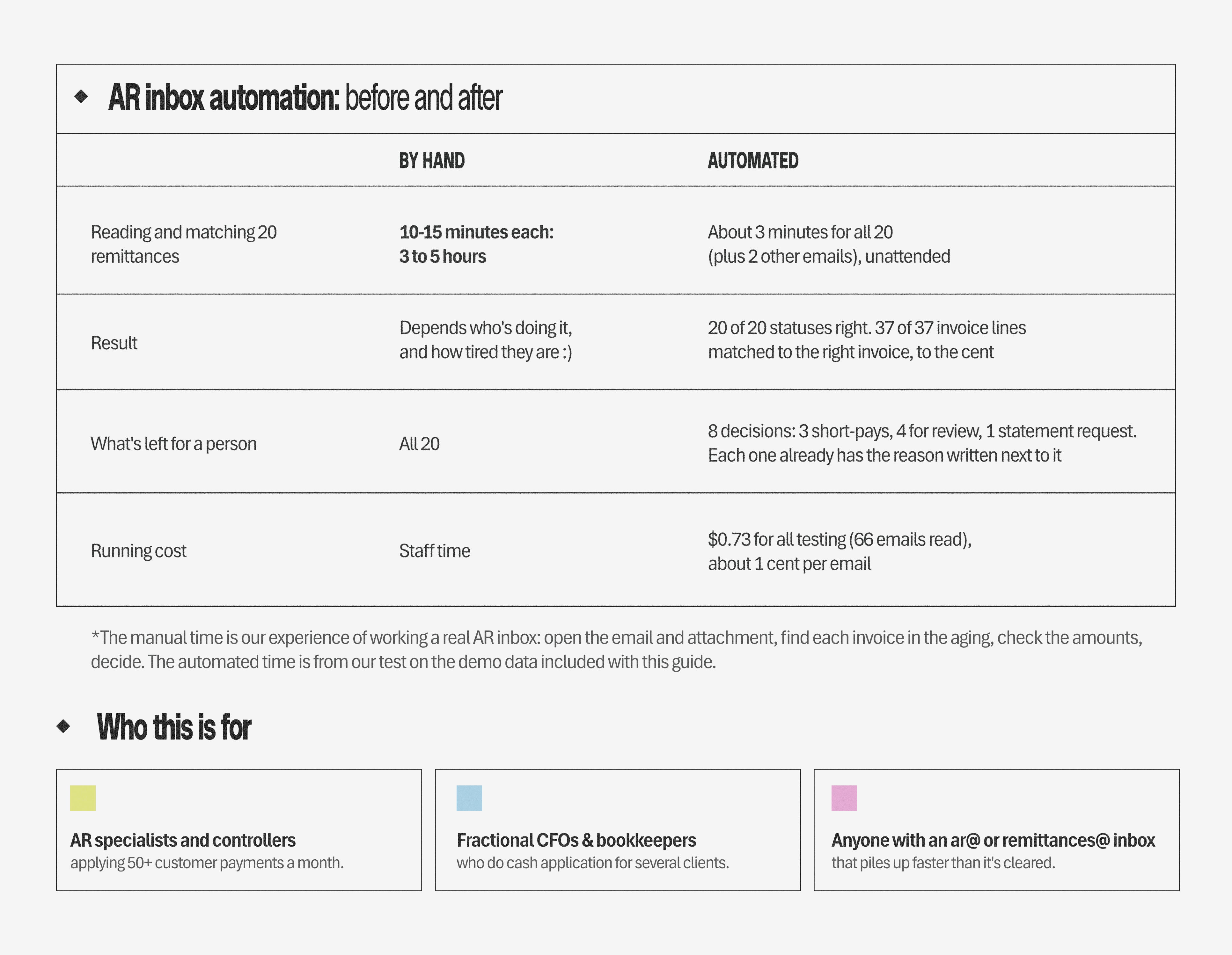
10 to 15 minutes per email, every day, forever.
For a mid-size business that adds up to close to a full-time person, at $100K a year, doing work an automation can do.
One you can build in 45 minutes.
The automation in this issue took our cash application from 3 to 5 hours by hand to about 3 minutes. The whole test cost $0.73 in Claude tokens.
Every 15 minutes, Claude reads each new email and its attachment. Plain rules match every line to your open invoices. The email gets filed. You review only the exceptions, and you apply the cash.
We’ll build it on Gmail and GSheets, because that’s the fastest way to get it running. The same pattern works for AP, collections and expense inboxes too, and you can shape it however you want. That’s next week’s issue.
Now let me walk you through the whole setup, step by step.
Let’s go.
And before we begin, I have an invite for you
I’m attending Traceable, Chargebee’s summit on AI-native finance team.
Finance engineers (by that I mean the CFOs and VPs you probably already follow) will show the AI playbooks running at their companies: the real agents, the real stacks, what’s working and what isn’t.
It’s the coolest event for finance engineers I’ve seen lately, and it’s virtual, so you can join while having a good lunch. I wouldn’t miss this one.
What we are building today
In the next 45 minutes, you’ll build a cash application automation that runs every 15 minutes with nobody touching it:
1/ Picks up new emails in your AR inbox
2/ Reads each email and its attachment together with Claude: who paid, when, how much, which invoices
3/ Logs everything in a Google Sheet, 1 row per payment, 1 row per invoice line
4/ Matches each line to your open invoices, even with a misspelled invoice number, a PO number instead, or a payment from a parent company
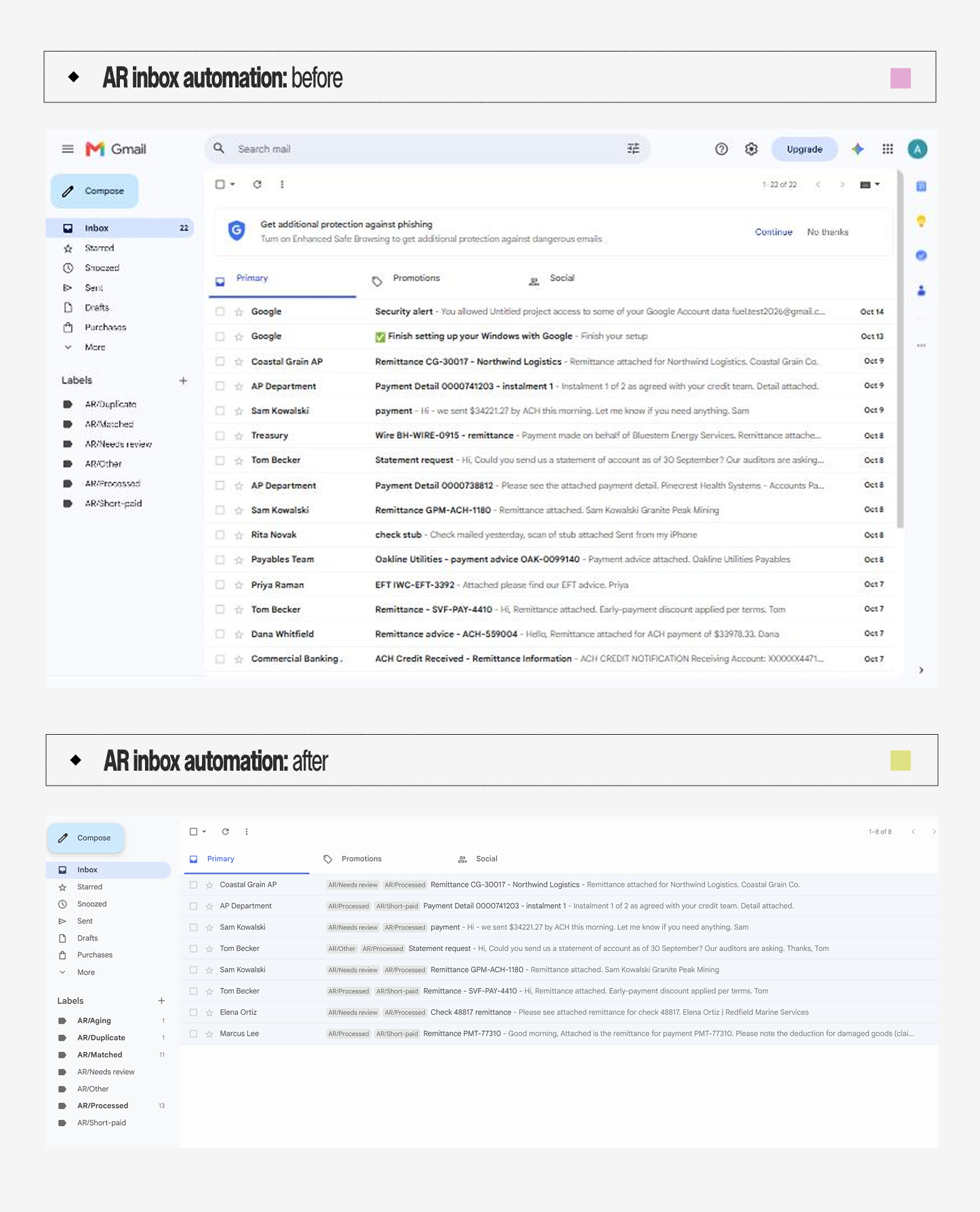
5/ Labels and files the email. Clean matches leave the inbox. Short-pays, overpayments, unknown invoices, and anything unreadable stay, so your inbox becomes the to-do list
And while it does all that, you do something more exciting with the hours you just got back.
With a good coffee. Or tea, or matcha, whatever you love 🍵
What you need & how it works
A Google account. A free Gmail is fine for testing
A Google Sheet. Free
A Claude API key from console.anthropic.com. Pay as you go, about a cent per email. Load $5 of credit to start; the 22 demo emails cost about 25 cents
About 45 minutes
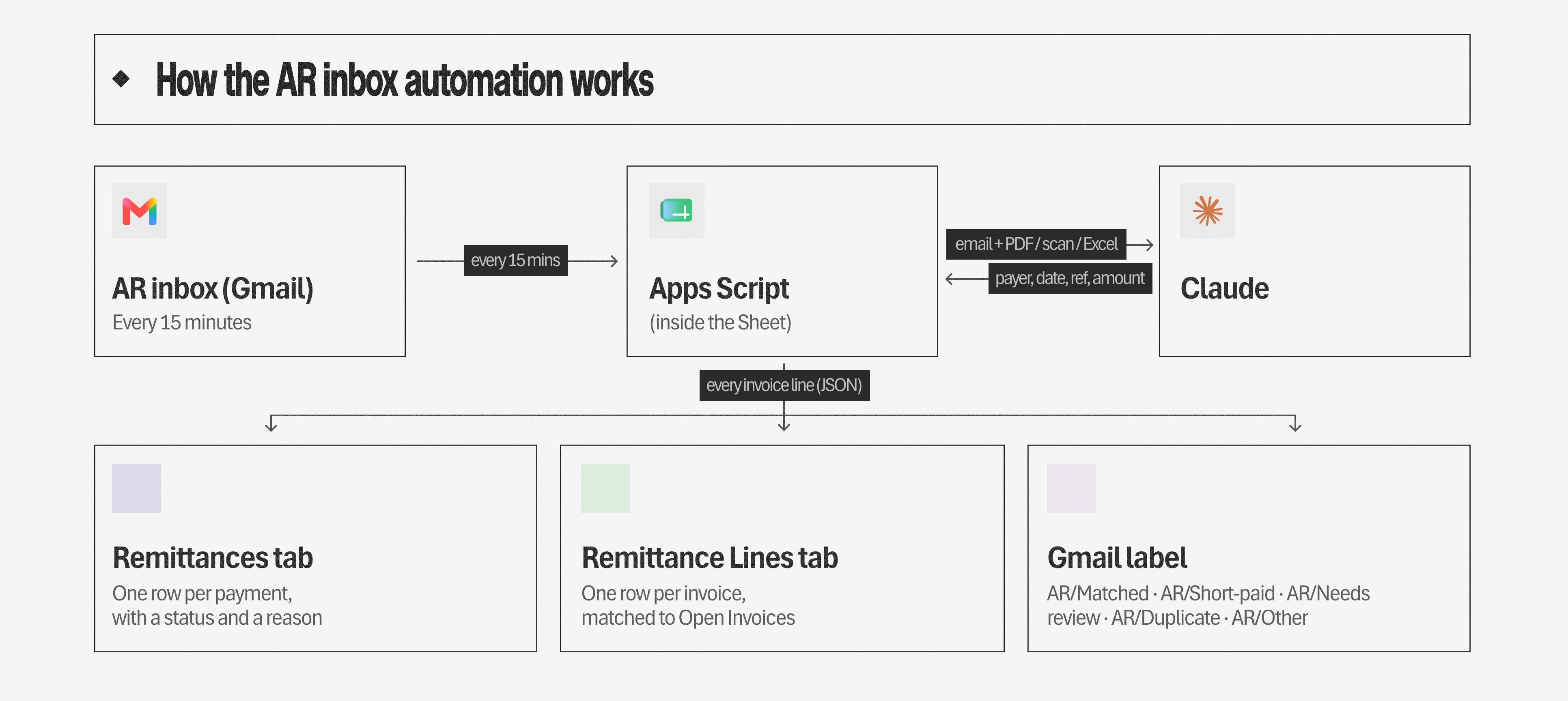
There are three parts, and you’ll set up each one below:
The Sheet holds your open invoices, the results and the settings.
The script lives inside the Sheet (Extensions → Apps Script). It reads the inbox, calls Claude, does the matching and files the emails. You paste it in; you don’t write it.
Claude does the reading. Matching is done by plain rules in the script, so the same email always gives the same answer and you can see why.
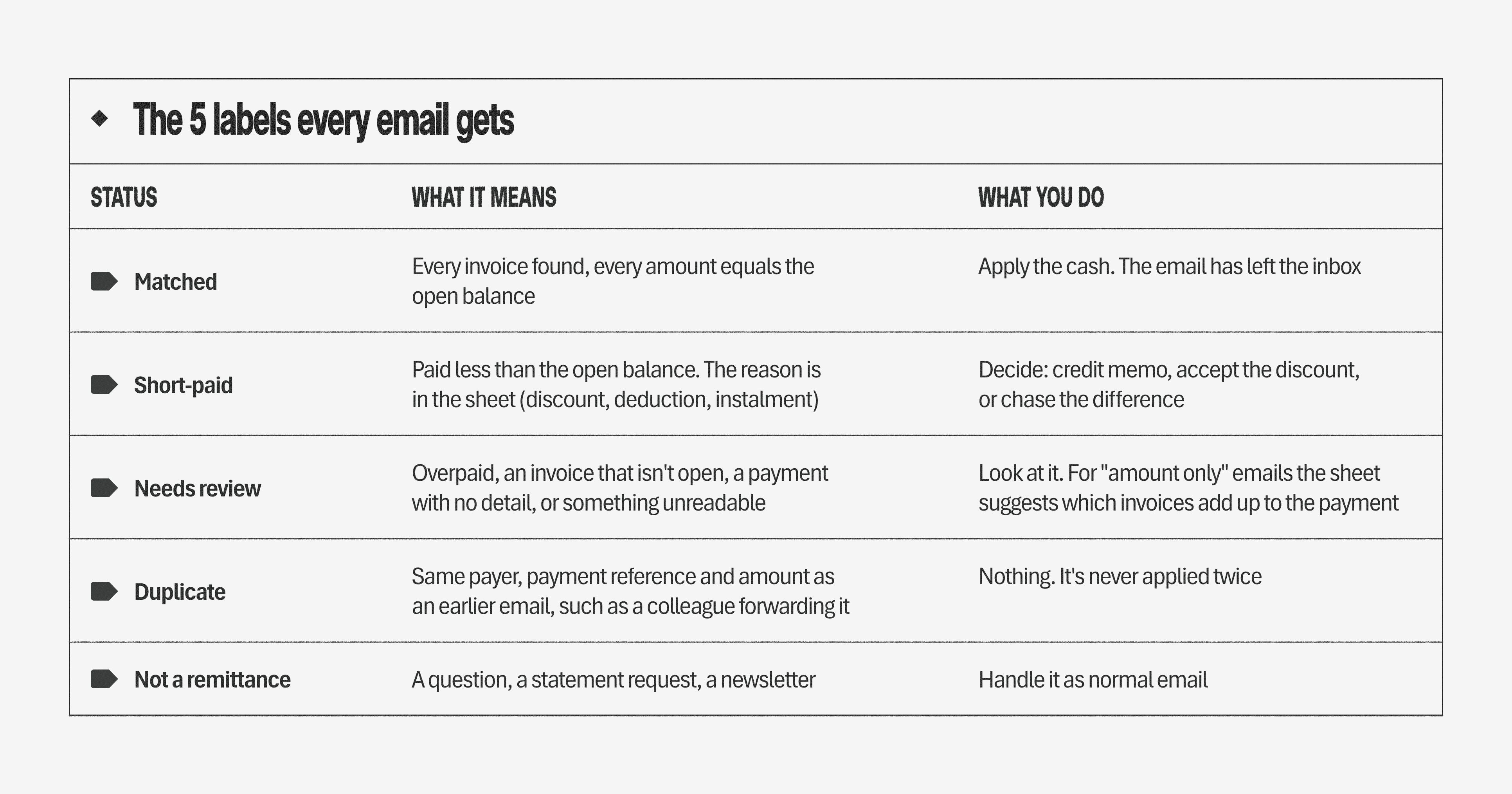
The 5 labels every email gets
After each run, every email in the inbox has 1 of 5 statuses. It shows as a Gmail label on the email and as a column in the sheet.
The label tells you what the automation found. The last column tells you what’s left for you.
Step by step
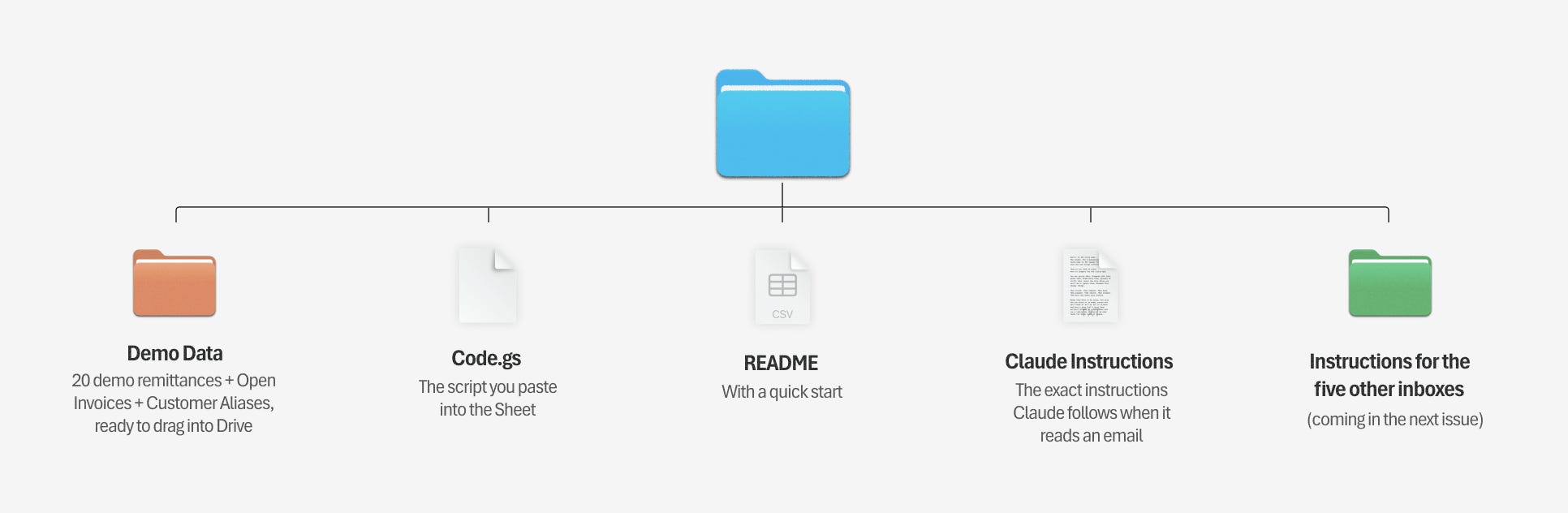
Download the kit first. It has every file you’ll need for the build.