

Finance is now a portfolio career.
I’ve been reading the requirements of AI-native finance job postings lately. The titles are multiplying - Finance Engineer, Agentic Finance Engineer, FP&A Data Engineer - but one requirement keeps repeating: show us a portfolio of what you’ve built with AI. Your Claude automations. Your skills and agents. The workflows you’ve automated, and how you connected the stack.
So what do you build first?
I’d say start with revenue recognition. It shows up in the postings, it’s relevant for every SaaS company, and in the pre-AI world it eats 3-4 days a month, every month, of one person’s time. Automated, it’s built once, in an afternoon, and then runs on its own - continuously, live. For a $10M company, that’s potentially $100K a year back in workforce cost and potential loses.
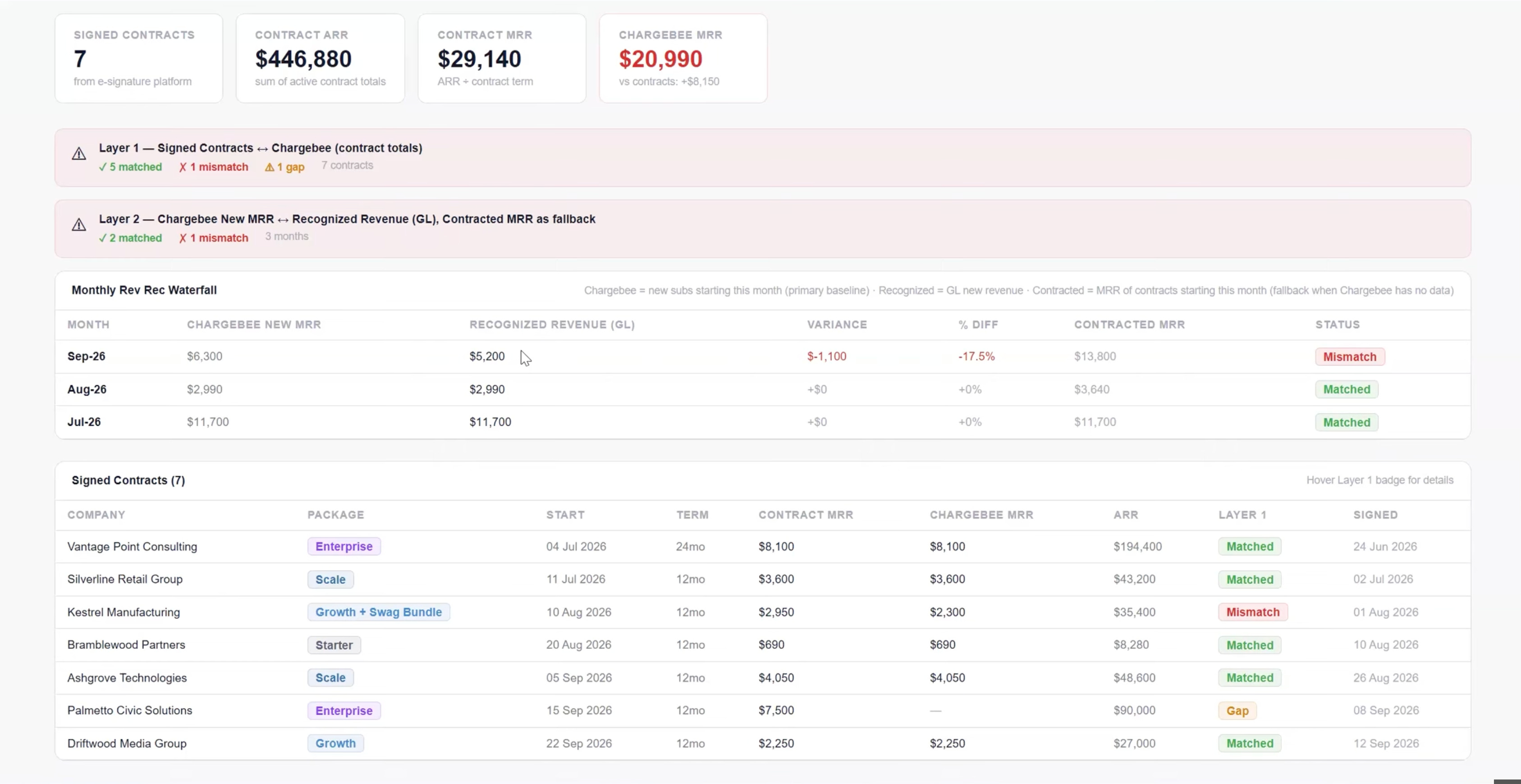
In this issue we open Claude Code together and go step by step: by the end, you’ll have a live reconciliation dashboard deployed on Vercel.
I can promise it’s beginner-friendly if you’ve had even a little experience with Claude - every prompt is written out, every tool explained in plain words.
Questions at any point → let me know in the subscriber chat.
The revenue love triangle
Out of all the love triangles in this world, I’m almost sure you’ve been in this one:
Your signed contracts (DocuSign, PandaDoc, or just a shared folder). Your billing platform (Stripe, Chargebee). And the books (QBO, NetSuite, Xero).
Three versions of the same revenue: what was agreed, what was charged, what accounting recognized. And they disagree at almost every company. A contract signed but never billed. A subscription created at the wrong price. Revenue posted with nothing behind it. Nobody notices until close - or until an auditor asks.
Reconciling the three manually is not the thing you’d love to do on a hot summer evening. So we’re building a dashboard that reads all three continuously and flags every mismatch the moment it appears. Two reconciliation layers: contract ↔ billing, and billing ↔ recognized revenue. A live audit trail instead of a quarterly surprise.
Before you start
You’ll need four things:
Claude Code, installed and signed in. claude.com/code guides you through setup. One note before connecting anything real: check that your plan covers your company’s data protection policy.
A free Vercel account. This is where the dashboard will live. For anyone new to it: Vercel is the interface layer - it turns what you build into a live web page your team opens in a browser. Claude Code holds the backend, the rules, the logic; Vercel is the front end, and it updates in real time as your data updates.
A free test site on your billing platform. Chargebee and Stripe both offer sandbox accounts - a fake copy of the real thing. Practice on test data before any of this touches production. (More on security at the end; it gets its own section.)
45-60 minutes of uninterrupted focus time.

Step 1 - Plan, then scaffold
Open Claude Code and switch to plan mode. What plan mode is: a thinking space where Claude plans WITH you before building anything. When I want to conceptualize things, I switch to plan mode and just start typing: I want to build this, I want to do this. You iterate on the plan, and only then does the building start. Nothing gets coded while you’re still figuring out what you want.
And don’t stress about the perfect prompt. My actual planning prompts are loose - “I’m building a revenue reconciliator for [X]. Let’s plan this.” The better Claude knows your work, the vaguer you can afford to be. Vague is fine.
When the plan feels right, the first build prompt:
Scaffold a new Vite + React + TypeScript app. Keep it minimal - no routing library, no CSS framework. I’ll build a two-tab finance tool: a revenue reconciliation view and a P&L view.
Don’t worry about what Vite or React are. You never have to touch these technologies directly; Claude handles them.